



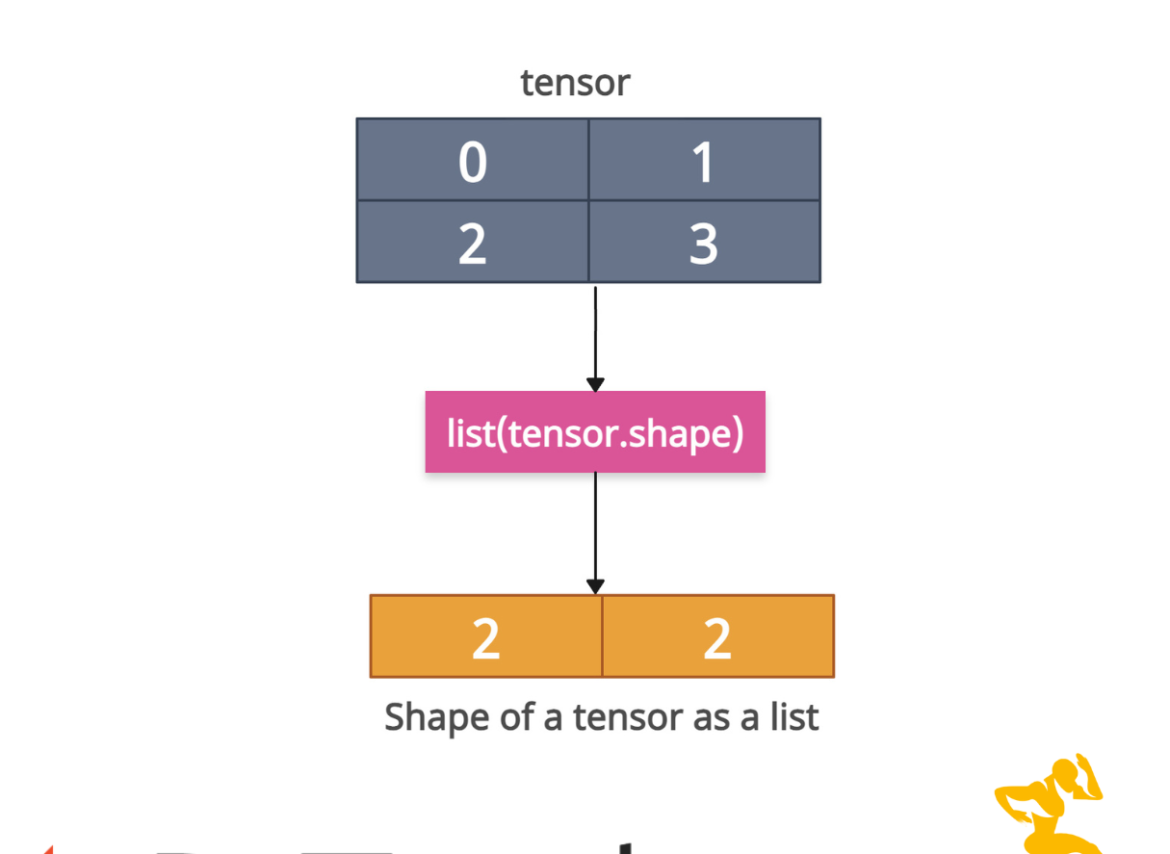

PyTorch provides a .shape attribute (or .size() method) that returns a size object for the specific tensor, and then you can convert it to a list using the list() constructor to get the shape of a tensor as a list of integers.
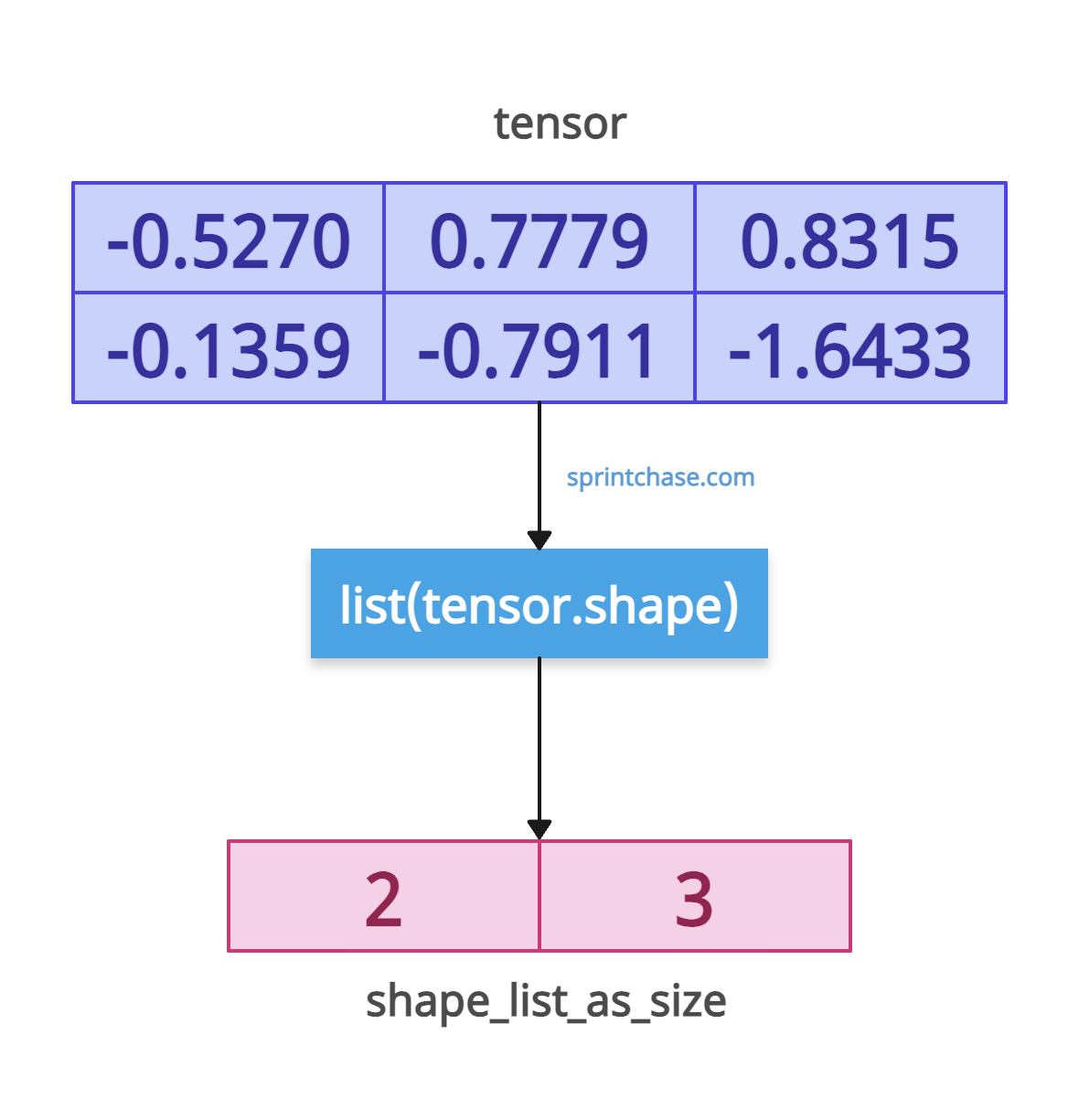
import torch

tensor = torch.randn(2, 3)

shape_list_as_shape = list(tensor.shape)
print(shape_list_as_shape)
# Output: [2, 3]

shape_list_as_size = list(tensor.size())
print(shape_list_as_size)
# Output: [2, 3]
We created a random tensor with normalized values using torch.randn() method.
For a clearer, readable, and more efficient approach that works for any PyTorch tensor, use list(tensor.shape) expression. The .size() method is an old-school way.
Named Tensors (Advanced)
The named tensors have dimension names, but their shape is still represented as a tuple of integers. While initializing a tensor, you can assign names to the tensor, and it becomes a named tensor.
Named tensors and all their associated APIs are an experimental feature and subject to change.import torch
named_tensor = torch.randn(2, 3, names=("batch", "channel"))
shape_list = list(named_tensor.shape)
print(shape_list)
# Output: [2, 3]
names = named_tensor.names
print(names)
# Output: ('batch', 'channel')
You can see that the named tensor is helpful in user readability, but it does not affect shape extraction.
Scalar tensors
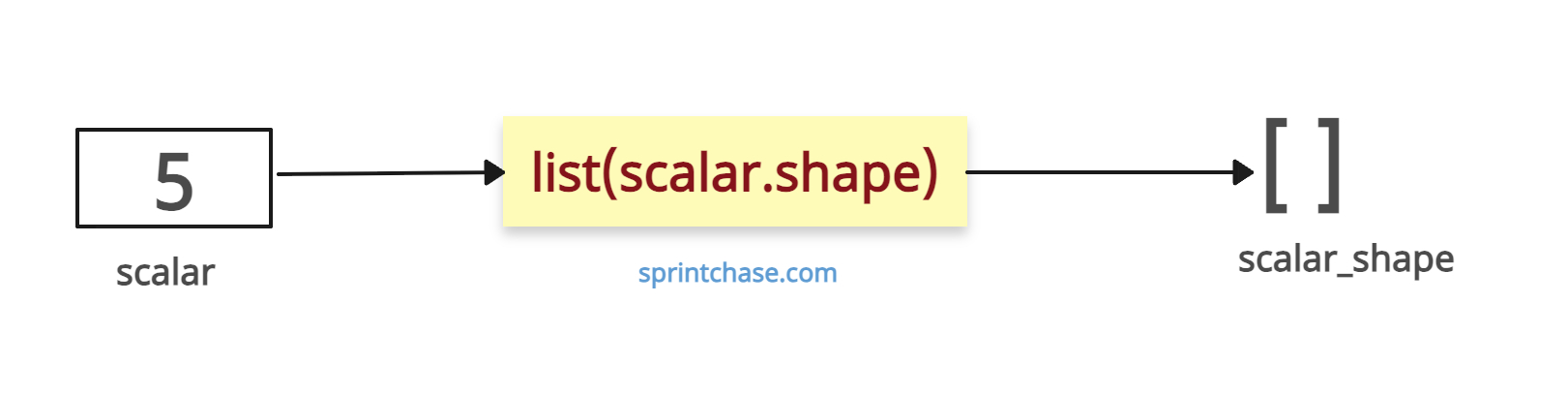
The scalar tensor has an empty shape as it is a 0-dimensional tensor, and it has a rank of 0. If you convert the shape into a list, it will be an empty list ([ ]).
import torch

scalar = torch.tensor(5)

scalar_shape = list(scalar.shape)

print(scalar_shape)
# Output: []
To represent a scalar as a 1D tensor (shape [1]), explicitly reshape it.
import torch

scalar = torch.tensor(5)

# Convert the scalar to a 1D tensor
scalar_reshaped = scalar.unsqueeze(0)

shape_list = list(scalar_reshaped.shape)

print(shape_list)
# Output: [1]
We get a list with one element, which is a shape, because the tensor is now 1D.
Zero-Dim Tensors
If any dimension becomes 0, it is a zero-dimensional tensor, and they are valid, but it contains no data.
import torch

empty_tensor = torch.randn(0, 3)

shape_list = list(empty_tensor.shape)

print(shape_list)
# Output: [0, 3]
If you want to check if a tensor is empty, always use the tensor.numel() == 0 expression.
When Tensor is on the GPU
If you are working on an Nvidia GPU, it does not matter because the .shape attribute or the .size() method works the same as on a CPU.
import torch

gpu_tensor = torch.randn(4, 4).cuda()

shape_list = list(gpu_tensor.shape)

print(shape_list)
# Output: [4, 4]

size_list = list(gpu_tensor.size())

print(size_list)
# Output: [4, 4]
That’s all!
